From Testimony to Work Product With Prevail Session Review
When a proceeding ends, there's more work to be done. See how Session Review keeps the transcript, video, exhibits, and notes connected in one workspace.

Counsel asks their final question. The witness closes their laptop. One by one, cameras switch off and video tiles disappear from the screen. Within moments, the virtual deposition has ended, but the work that shapes the case is just beginning.
With testimony still fresh, attorneys return to the record. Capturing testimony has concluded, and now the focus shifts to where it matters and how it fits into the broader case.
Attorneys replay key exchanges and compare testimony against exhibits, looking for insights that could shape their next move. Paralegals organize the record while litigation support teams prepare transcripts and video for the broader case team. Everyone is working from the same proceeding, but often from different locations and across different sets of materials.
The challenge isn't capturing testimony; it's transforming hours of testimony, exhibits, attorney notes, and video into a clear, organized record that the entire litigation team can access, collaborate on, and use to move the case forward. This is where Session Review comes in.
What Is Session Review?
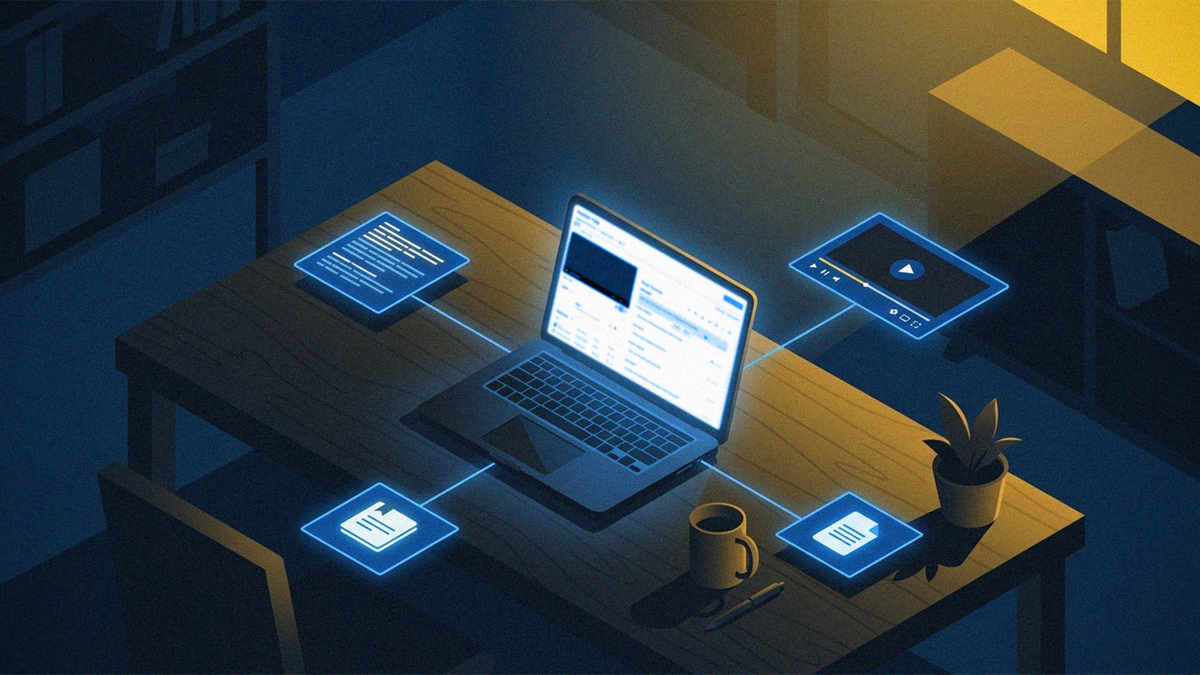
Session Review is Prevail's post-proceeding workspace that brings together everything legal teams need after a deposition, hearing, arbitration, or other proceeding ends. It combines the transcript, synced video and audio, exhibits, notes, transcript orders, and AI-assisted analysis in one secure workspace, so teams can review testimony, collaborate efficiently, and move from the record to case strategy.
Instead of piecing together information across multiple systems, legal teams can begin working from the same record as soon as the proceeding concludes.
Everything From the Session, in One Workspace
Once a proceeding ends, the focus shifts from capturing testimony to understanding what it means for the case. But when transcripts, video, exhibits, and notes are spread across different systems, teams spend valuable time organizing information instead of analyzing it. Session Review keeps every part of the proceeding connected, giving legal teams a complete view of the record so they can focus on the work that matters.
With Session Review, teams can access and work with:
- The transcript: A searchable record available as soon as the Session ends, making it easier to revisit testimony and find key moments.
- The video: Video and audio synced to the transcript let teams review testimony in context, with the ability to create clips for sharing and analysis.
- Transcript orders: Flexible access to transcript versions, including rough drafts and reviewed or certified copies.
- Session files: Exhibits, shared documents, and supporting materials kept connected to the proceeding.
- Notes and flags: A way to capture observations, mark important testimony, and keep case teams aligned.
Session Review reduces the administrative work behind post-proceeding review so legal teams can focus their time on the analysis that matters most.
Read the Record, Fast
The hours immediately following a deposition are often when the most valuable insights emerge. Rather than waiting days to begin reviewing testimony, legal teams can start working as soon as the Session concludes. Immediate access to the transcript allows attorneys to revisit testimony while the context is still fresh and begin developing strategy sooner.
The Transcript module in Session Review makes the record immediately usable, with the rough transcript ready the moment the Session end.
Search and navigation tools make it easier to find important moments. Attorneys can search by keyword to surface relevant sections quickly, filter the rough transcript by flags added during the proceeding, and select a transcript line to jump directly to that moment in the video. With synchronized playback, the transcript scrolls alongside the recording, which helps teams confirm exactly what was said without manually matching pages to timestamps. If a reviewed or certified transcript has been purchased, it will be available separately for download.
Reviewers can also customize their transcript view with adjustable display settings and other preferences to make lengthy testimony easier to navigate. By making the record easy to search and navigate, Session Review helps legal teams spend less time locating testimony and more time building strategy from it.
Build a Record You Can Return To
Instead of managing separate notes or documents, teams can keep their analysis organized alongside the testimony itself.
Session Review allows legal teams to add notes directly to specific speaker segments, keeping observations tied to the testimony they reference. Notes created during the live proceeding are also available in post-session review, allowing attorneys to continue building on their analysis without starting over. Teams can also apply customizable flags to mark important testimony, organize key moments, and quickly return to areas that require further review.
Whether tracking follow-up questions, preparing expert witnesses, or organizing testimony for motion practice, managing notes and flags preserves important observations, making them accessible throughout the life of the case.
Ask AI Without Leaving the Transcript
Reviewing testimony often raises new questions: Did a witness contradict an earlier statement? What themes emerged across the examination?
With CheckMate, the AI-assisted analysis built into Session Review, legal teams can review testimony without leaving the transcript or moving information into a separate application. Attorneys can query a connected AI model to ask questions, generate summaries, and surface insights directly alongside the record, then continue the conversation in CheckMate Chat when a thread calls for a closer look.
Because the analysis happens within Prevail's secure environment, teams can incorporate AI into their review process while keeping testimony, questions, responses, and work product together. Built on a platform with SOC 2 Type 2 attestation and ISO 27001 certification, Session Review helps firms use AI as part of their workflow to manage transcript notes while maintaining control over sensitive case information.
Instead of switching between tools or recreating context elsewhere, legal teams can move from testimony to analysis within the same workspace, keeping the record and the insights it generates together.
Watch It Back, Your Way
A transcript captures what was said. Video often captures how it was said.
Facial expressions, pauses, demonstrations, screen shares, and exhibits can provide valuable context that informs deposition review and case strategy.
With the Video module, Session Review keeps video synced to the transcript. Legal teams can revisit testimony in context whenever they need to verify an exchange or better understand a witness's response. How a moment is best reviewed depends on the moment itself.
Session Review lets reviewers watch all participants at once, focus on a single feed to study a witness's demeanor, or isolate a presentation or screen share to see exactly what was on screen. When the recording reaches a point where a participant shares their screen, the view can show the presenter and their content together, so an exhibit and the testimony about it stay connected.
Playback speed adapts to the task as well. Teams can move quickly through routine portions, then slow down for a critical exchange, and the transcript stays in sync with the video at any speed.
When an important moment needs to be preserved or shared internally, teams can also create video clips directly from the proceeding, so it's easy to share with colleagues or revisit key testimony later.
Together, transcript and video provide a more complete record than either could alone.
Keep Exhibits and Files Together
The documents that surround testimony matter as much as the testimony itself. Exhibits, shared files, and supporting materials all inform how a proceeding is reviewed and how the case moves forward.
Session Review keeps every file from the proceeding in one place and connected to the record. Materials introduced or presented during the Session are available to the full review team, and each one carries the context of how it was handled, including its exhibit status and the participant who added it. Private files stay visible only to the person who uploaded them, so individual work product remains protected even though the team shares the same workspace.
Teams can open any file to review it in context, download individual documents, or download the complete set as a single package, with a link back to the Session Review page that makes sharing simple.
By keeping exhibits connected to the transcript and video they relate to, Session Review gives legal teams a single, organized view of the entire record. Not just what was said, but everything that was shown.
Support the Entire Transcript Lifecycle
Every matter has different transcript requirements. Some teams need immediate access to a rough transcript to begin reviewing testimony right away. Many require professionally reviewed or certified transcripts for filing, trial preparation, or the official record.
Session Review supports the full transcript lifecycle, giving legal teams access to the transcript they need as their matter progresses. When synchronized video is required, transcript orders can also include files that link testimony directly to the recording, creating an even more efficient review experience.
Rather than managing transcript delivery separately from the proceeding itself, the entire process remains connected within the same workspace.
Built for the Entire Litigation Team
Post-proceeding review is a collaborative process, with different team members relying on the record for different purposes. Session Review gives everyone involved a shared workspace to access the information they need while maintaining the context of the proceeding.
Attorneys can revisit testimony and continue developing their approach to the matter. Paralegals can organize the materials that support that review. And litigation support teams can manage the transcripts, video, and case assets that keep the record accessible. For teams working across offices or on different schedules, Session Review provides a consistent place to return to the proceeding without losing the surrounding context.
From the moment testimony is captured through the work that follows, Session Review helps teams stay aligned around the same record, making post-proceeding review more efficient and collaborative. Whether you're preparing for the next deposition or getting ready for trial, Session Review keeps the record connected so your team can move forward with confidence.
Ready to see Session Review in action? Schedule a demo to learn how Prevail helps legal teams review testimony, collaborate more efficiently, and build stronger cases from a single, unified workspace.