Keep Track of Live Testimony With Prevail’s Realtime AI Summaries
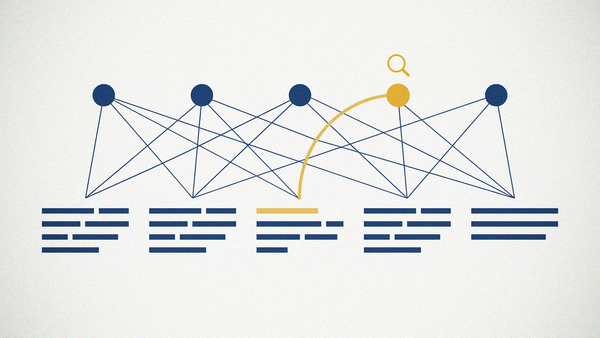
Realtime Summaries give counsel an AI-assisted, structured overview of testimony while a Prevail Session is underway. Every section links back to the exact lines it covers.


Long depositions have natural gaps. Maybe a supervising partner joins after lunch, or you step out during a recess to take a call. Getting current usually means scrolling back through the transcript to find the thread.
A Realtime Summary on the Prevail platform gives you a quicker way back in. It's a real-time digest summary of deposition testimony, available in a Prevail Session while the proceeding is still underway. The summary is AI-assisted and organized into sections. It refreshes every 10 minutes.
Inside a Realtime Summary
The summary breaks the testimony into sections, and each one covers a portion of the Session. Sections appear in the order the testimony happened, with the newest at the bottom.
Each section has a title and a short summary of the testimony it covers. It also lists the page and line range where that testimony appears in the AI rough transcript.
In a product liability deposition, for example, one section's title might refer to maintenance records for a production line. The summary beneath it would recap what the witness said about who kept those records, with a range pointing to the exact pages and lines.
Scanning the titles gives you a quick sense of what's been covered. Later in the day, that list becomes a map of how the testimony unfolded, and the summaries fill in detail when you need it.
How It Keeps Pace With Testimony
After recording begins, the first summary appears once the AI rough transcript has captured two minutes of the Session. From there, the summary refreshes every 10 minutes. A last-updated indicator shows how recently it changed.
Realtime Summary is tied to the AI rough transcript. Every page and line range in the summary points back to it. The Summary panel can sit side by side with another Session panel, like the AI rough transcript, so you can keep following testimony while you review what came before.
Every Section Leads Back to the Testimony
Each section connects directly to the testimony behind it. Click a section's page and line range, and the AI Rough panel opens to that part of the transcript with the referenced lines highlighted.
That link keeps you in control. Exact wording carries weight in testimony, so use the summary to find your place, then read the lines themselves before you quote an answer or build a question around it. What the testimony means, and what to do with it, is still your call.
Where a Realtime Summary Helps in a Long Deposition
Realtime Summary fits naturally into a few familiar moments.
Joining partway through. A partner or co-counsel who arrives mid-morning can read the summary and get oriented without asking anyone for a recap. The page and line links take them straight to any exchange they want to read in full.
After a break. When you come back from lunch in a full-day deposition, a look at the newest sections helps you pick up where the testimony left off. The sections from just before the recess sit near the bottom.
Before your next line of questioning. During a recess, scan the section titles to see which topics the witness has already addressed. Gaps in the outline you brought in become easier to spot.
Late in a long day. Hours into testimony, the section titles show the ground the examination has covered. That helps when you're deciding how to use the time that's left.
Briefing a colleague. The summary gives you a clear structure to walk through, with page and line references ready if anyone wants the exact testimony. That's useful when a second chair is about to take over a topic.
The same moments come up in long arbitration hearings.
Requesting a Realtime Summary for a Session
A Realtime Summary is available in Sessions configured for the feature. To include it, note it in the special instructions when you request a Session, or contact the scheduling team. You can add it any time before the scheduled Session begins, and your organization's roles and permissions determine who can view the summary.
If you're evaluating testimony intelligence tools, our team can show you how Prevail’s Realtime Summaries work.
Frequently Asked Questions
When does the first summary appear?
After recording begins, the first summary appears once two minutes of AI rough transcript have been captured.
How often does Realtime Summary update?
Every 10 minutes. A last-updated indicator shows how recently the summary changed.
Can I check a summary against the transcript?
Yes. Each section includes a page and line range. Click it to open the AI Rough panel with those lines highlighted.
Does Realtime Summary replace reading the transcript?
No. It helps you find your place quickly. Each section links to the exact lines in the AI rough transcript, so you can read the testimony itself whenever the details matter.
Can I add a Realtime Summary after I schedule a Session?
Yes. Contact the scheduling team any time before the scheduled Session begins.